Display a simple text on the browser using Interpolation
Let’s display a simple text by changing the code in the UI and corresponding component.
The starting point of the application is Index.html and the corresponding component is main.ts
The index.html, a simple html file would look like below. Note, the <app-root>, this is the tag where the UI is loaded and the instruction was provided in the app component.
Index.html

<!doctype html>
<html lang="en">
<head>
  <meta charset="utf-8">
  <title>MyFirstAngularProject</title>
  <base href="/">
  <meta name="viewport" content="width=device-width, initial-scale=1">
  <link rel="icon" type="image/x-icon" href="favicon.ico">
</head>
<body>
  <app-root></app-root>
</body>
</html>

App.component.ts
Imports are the namespaces where we instruct which assembly needs to be used to run the component,
@Component are decorators where selector is app-root (from the index.html) and templateutl is the app.component.html file so basically whatever is there in this file will be loaded in the app-root of the index.html. The index.html will then be displayed on the browser. The style url is the css stylesheet path.
The “export” keyword indicates AppComponent can be used in the consuming class.
import { Component } from '@angular/core';

@Component({
  selector: 'app-root',
  templateUrl: './app.component.html',
  styleUrls: ['./app.component.css']
})
export class AppComponent {
  title = 'This is the title set from component and displayed in the view';
}

Main.ts
The starting component of the application listing out the startup module through bootstrap module which is the Appmodule.
import { enableProdMode } from '@angular/core';
import { platformBrowserDynamic } from '@angular/platform-browser-dynamic';

import { AppModule } from './app/app.module';
import { environment } from './environments/environment';

if (environment.production) {
  enableProdMode();
}

platformBrowserDynamic().bootstrapModule(AppModule)
  .catch(err => console.error(err));

App.module.ts
The AppModule is driving force of the app.component. The @NgModule decorator describes which component is to be used. The bootstrap denotes the starting component of the application.
import { BrowserModule } from '@angular/platform-browser';
import { NgModule } from '@angular/core';
import { AppComponent } from './app.component';
@NgModule({
  declarations: [
    AppComponent
  ],
  imports: [
    BrowserModule
  ],
  providers: [],
  bootstrap: [AppComponent]
})
export class AppModule { }

App.component.html
Now this is the UI file called by the app component is below.
The {{ … }} is the expression syntax. Since app.component.ts is the component file for this UI. We can set the title property to some text in the file.
<div class="content" role="main">

  <span>{{ title }} !!!!!</span>

</div>
Performing Serve and run the URL in the browser:
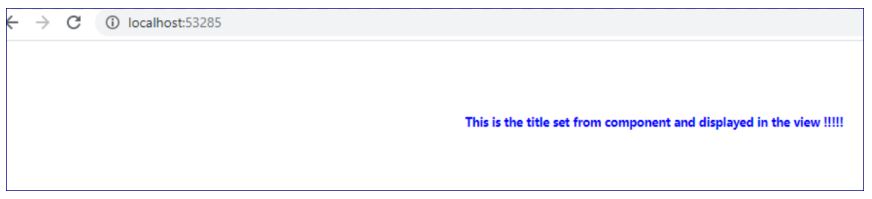
The title property we had already set in app.component.ts file described above:

 Tech Tutorials