Few Important JSON files in Angular Application
You might have noticed there are many JSON files in the application with different names and might be wondering about the use of each. Well, we tell the node package manager to create a new angular application, it will create these files by default and each of them are very important. Let’s take a look,
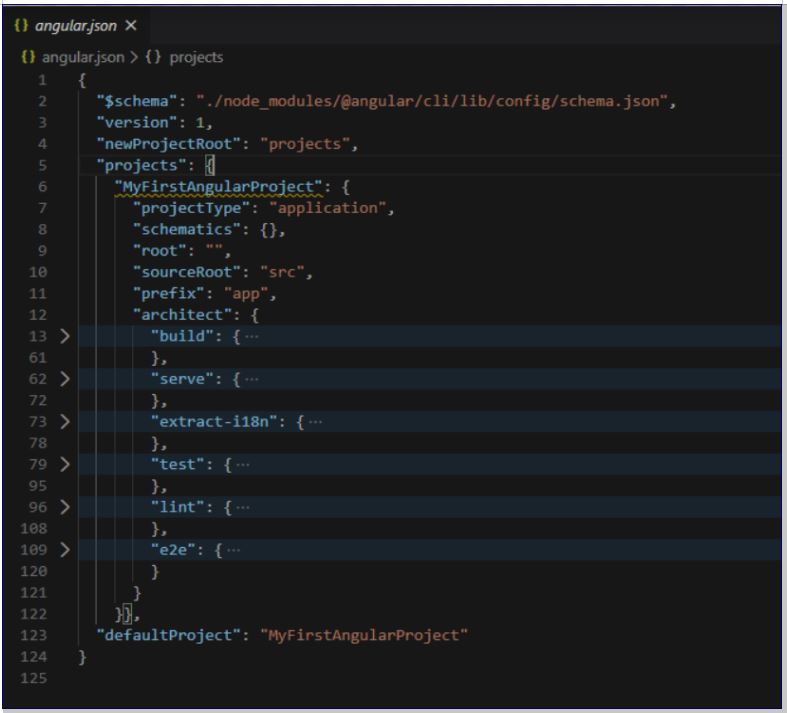
Angular.json
Consists of configurations pertaining to angular aspect of the application. It will list out the projects in the application and provides architect setting where it will configure different events accordingly.
The build event list out configuration setting when the application is being compiled.
The serve event list out configuration when the application is to be launched on the browser.
The extran-i18n is configuration for internationalization setting.
Test- The configuration for unit testing module in the application.
Lint- the linting process identifies errors as we write the code and informs the programmer accordingly.
E2e- The end to end testing configuration setting.
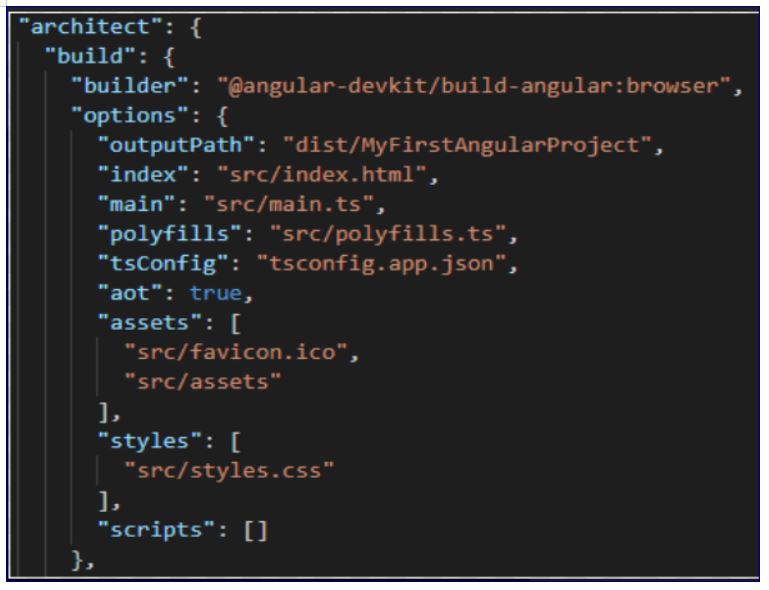
Architect >> build.
When we run ng build command, the typescripts are converted to javascripts. The configuration below indicates the builder mechanism(angular’s devkit) for the same and the output path of the files built by them. The index (index.html) is the starting point of the application and main.ts is its corresponding component file.
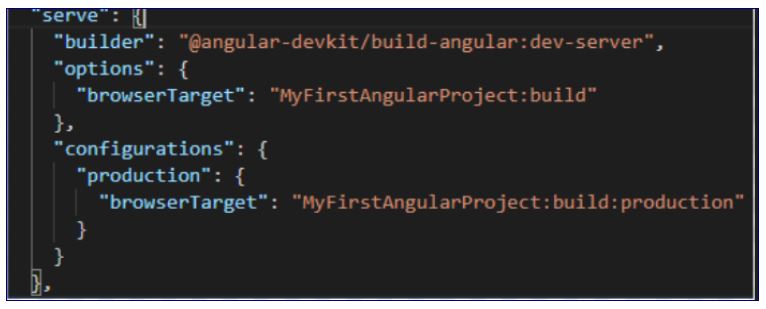
Similar for serve command below are the configuration provided through builder(devkit) and options to run the application on the browser.
Package.json
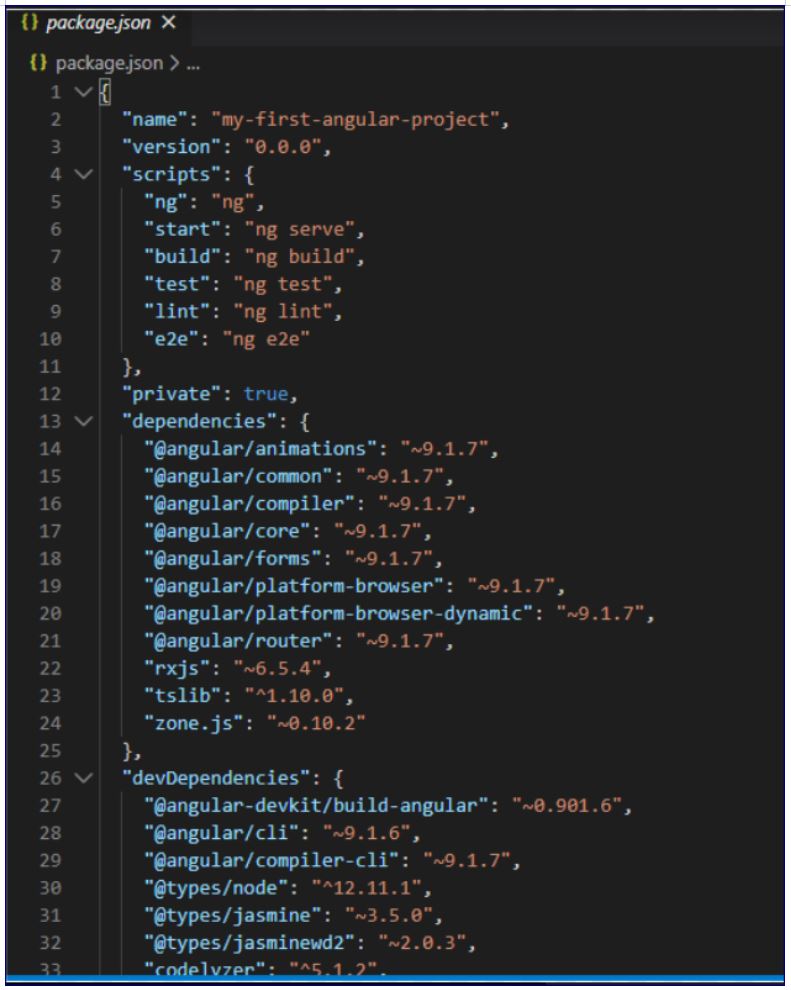
An important file used by Node listing out the dependencies and it versions. Below is the snapshot of the same. The dependencies of various libraries are listed.
The schema of dependencies is major.minor.revision version i.e; angular “~9.1.7” means 9 is the major version, 1 is the minor version and 7 is the revision. We know that different teams are working everyday to enhance their products and they ship when their development is ready. If a stable product is reached it will subsequently increment the major version.
The ~ sign instructs to take the most recent version in the hierarchy. For example, if 9.1.9 is the most recent version, then application will consume it accordingly. The package.lock.json file will list out the most recent version from these.
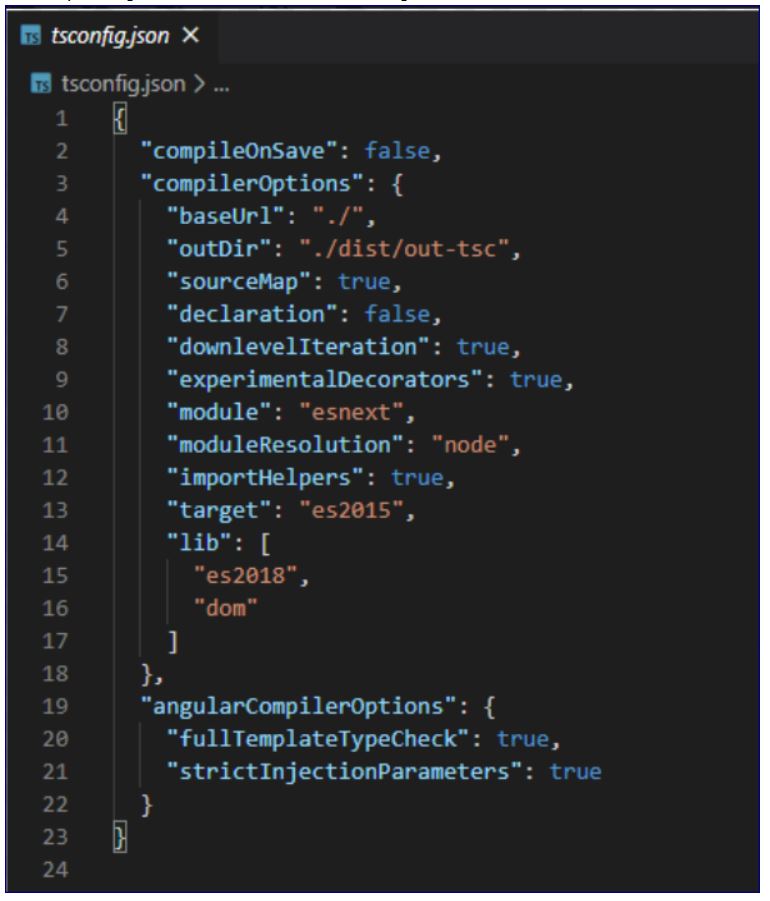
Tsconfig.json
The file is used by typescript module and its compiling configuration. The setting related to output directory of the generated files and the libraries being used for the same can be found here.
 Tech Tutorials